Account pages
The pages on which a person manages their own account: personal details, sign-in methods, devices, the apps and agents that have access, and their privacy choices.
Hosted pageReady
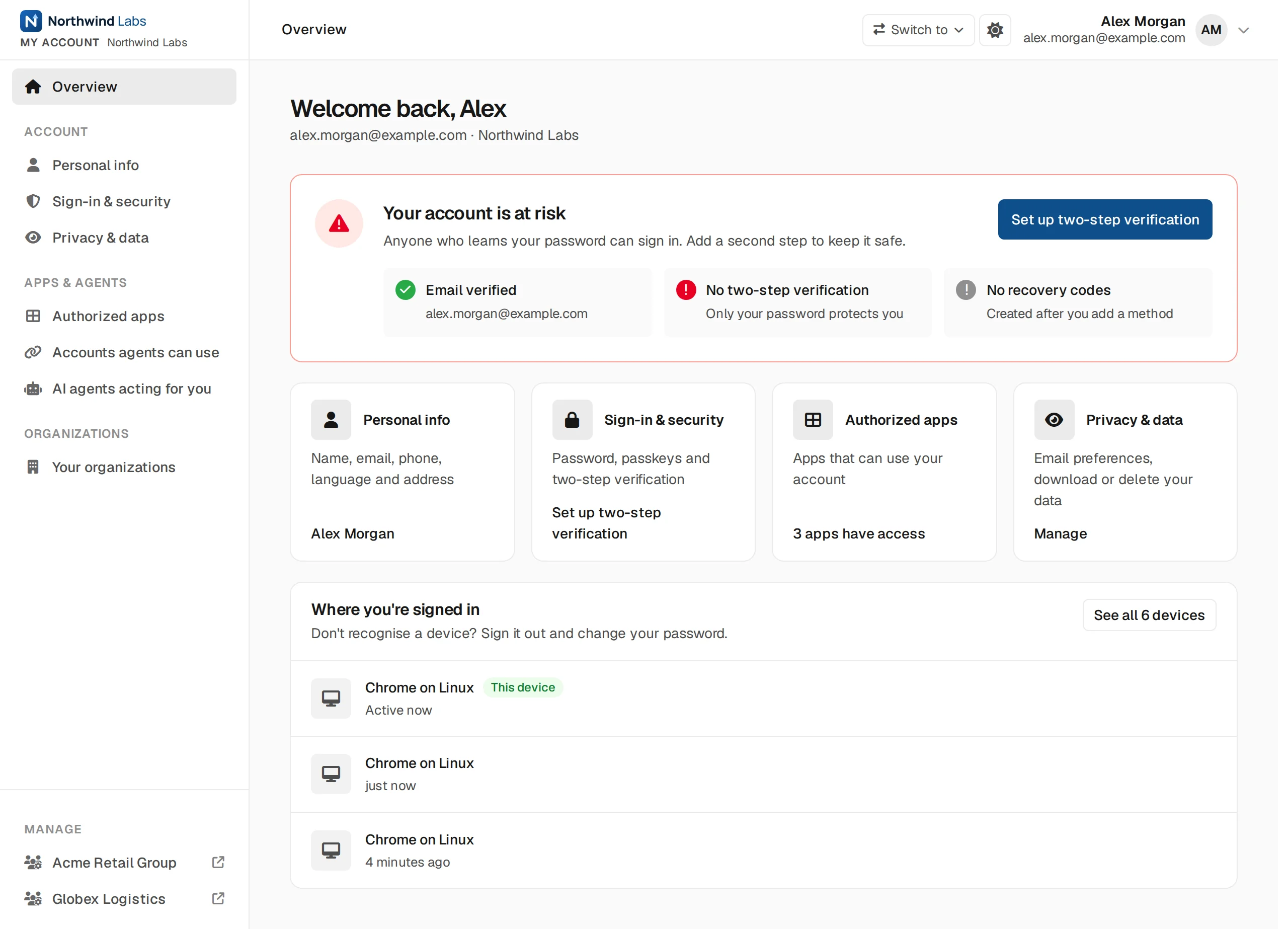
What the pages do
Every page shares one sidebar. On a phone, the sidebar is a menu.
| Page | What a person does there | Address |
|---|---|---|
| Overview | Sees how well the account is protected and the one next step to take, with shortcuts to every area. | /dashboard |
| Personal info | Changes the name, email address, phone number, language, time zone and address. Details that your organization manages are shown and cannot be changed. | /account/profile |
| Sign-in & security | Changes the password, adds and removes second steps, creates recovery codes, signs out devices, and links social accounts. | /account/security |
| Devices | Sees every signed-in device and signs out one of them or all others. | /account/sessions |
| Authorized apps | Sees what each application may do, and removes its access. | /account/consents |
| Accounts agents can use | Links an outside account, such as GitHub or Google, and chooses which agents may use it. | /account/connections |
| AI agents acting for you | Sees the agents that act for them now, answers their requests, and revokes one. | /account/my-agents |
| Privacy & data | Sets data-use preferences, downloads their data, makes a privacy request, and restricts or deletes the account. | /account/privacy |
| Your organizations | Sees the customer organizations that they belong to, with their role in each. | /account/organizations |
What you can change
| Setting | What it changes | Docs |
|---|---|---|
| Branding of the account pages | Your logo, your button colour and your favicon on these pages. On by default. Custom CSS and custom layouts are never used here. | Other pages |
| The "Secured by LumoAuth" badge | Whether the pages show the LumoAuth mark. | Badge |
| Self-service restriction and deletion | Whether a person can restrict processing or delete the account directly, or sends a privacy request to you. | Privacy and data |
| The methods on "Sign-in & security" | The second steps that a person can add follow your MFA policy. | Two-step verification pages |
| Connections | The outside services that appear under "Accounts agents can use". | Agent connections |
When a person sees them
- From "Manage account" in the user button of your app.
- From a link of your own to one of the addresses above, on the host of your LumoAuth organization.
- After sign-in, when a person signs in with no application to return to.
Limits
- The pages are in one place for the whole account. They are not a part of your app, and they keep their own layout.
- A person downloads their data only after a fresh second step, or a sign-in within the last 10 minutes when they have none.