Customer admin portal
The portal in which the administrators of one of your business customers manage their own members, invitations and roles.
Hosted pageReady
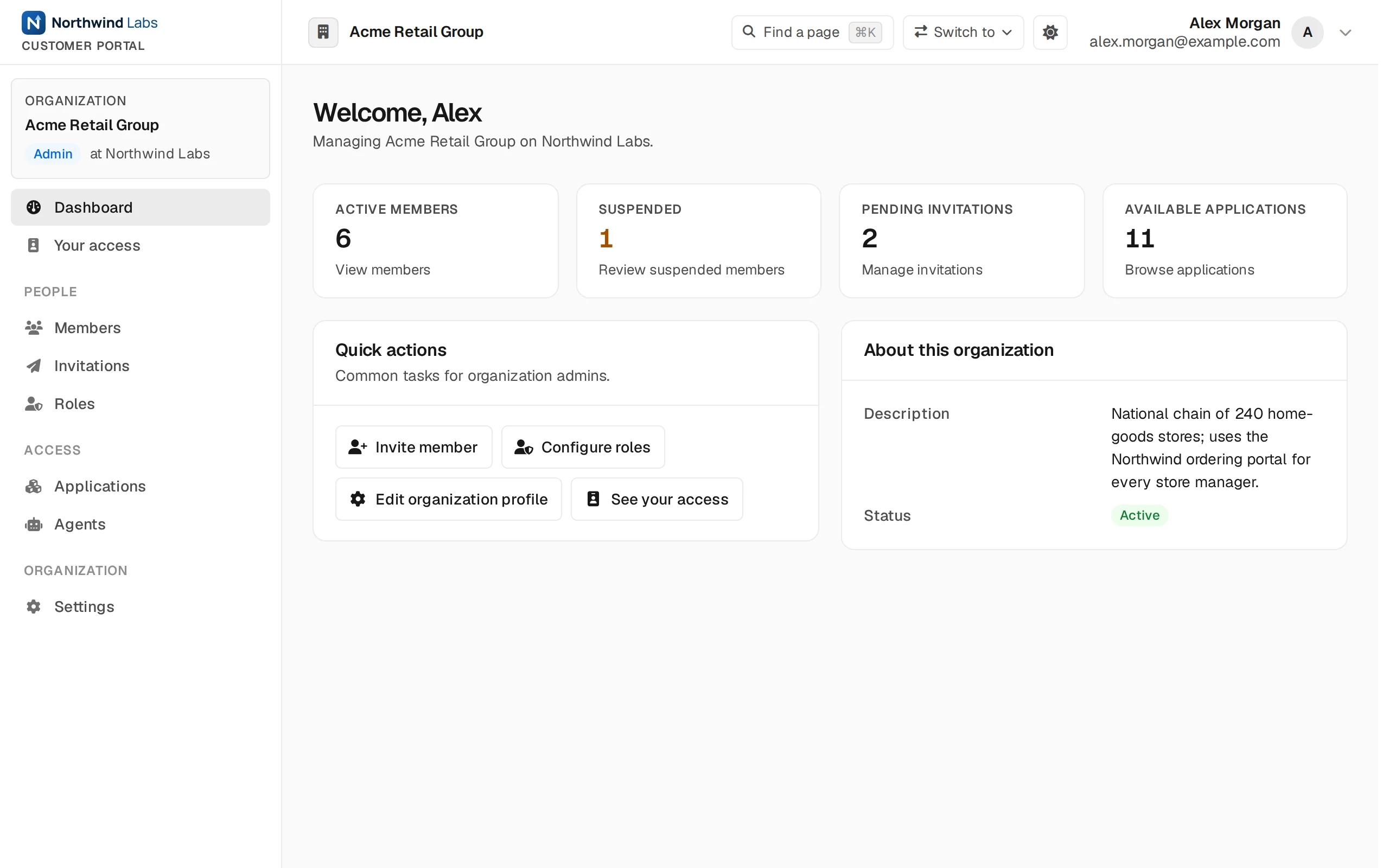
Here "Acme Retail Group" is a customer of "Northwind Labs". The person in the pictures is an administrator of Acme Retail Group.
What the portal does
| Page | What an administrator of the customer does there |
|---|---|
| Dashboard | Sees the counts of members and invitations, and the common tasks. |
| Members | Changes the role of a member, suspends a member, removes a member. |
| Invitations | Invites a person by email with a role and a personal message, and follows each invitation. |
| Roles | Adds custom roles next to the three system roles Owner, Admin and Member, and chooses the default role for new members. |
| Your access | Sees their own role, what it allows, and the applications that they can sign in to. Every member has this page. |
| Applications, Agents, Settings | Sees the applications and agents of the organization, and edits its profile. |
What you can change
| Setting | What it changes | Docs |
|---|---|---|
| Who can be invited | By default, an administrator of a customer can invite only people who already have an account with you. One switch lets them invite any address. | Invitations from the customer portal |
| Branding of the account pages and the customer portal | Your logo, your button colour and your favicon. On by default. | Other pages |
| Roles | You can create roles for a customer through the Admin API. The customer's own administrators create them here. | Customer organizations |
When a person sees it
A member of a customer organization opens /b2b/{orgId}/{organizationSlug}/. Link to that address from the settings of your own product. The account pages also list each portal that a person belongs to, under "Manage".
Limits
- A customer organization has no SSO connection, no SCIM endpoint and no sign-in page of its own. It shares the configuration of your organization.
- The portal adds members by invitation only. To add a person who exists already without an email, use the Admin API.
- Check that your plan includes self-service for customer organizations in the plans matrix.