Two-step verification pages
The pages that ask for a second step at sign-in, and the page on which a person adds one: a passkey, the phone app, an authenticator app or a code.
Hosted pageReady
At sign-in
After the first step, the page asks for the strongest second step that the person has.
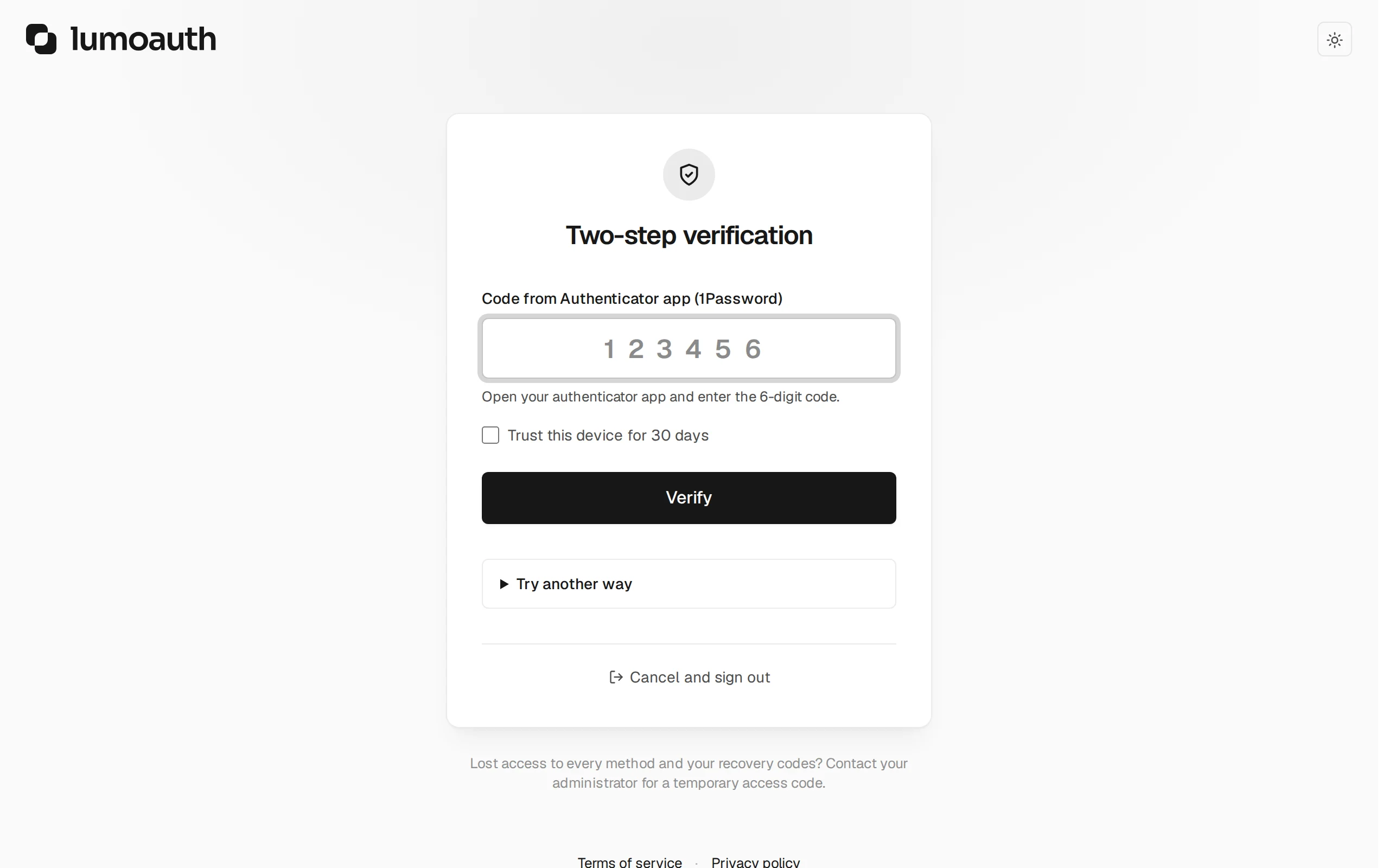
- Passkey. The browser asks for a fingerprint, a face, the screen lock or a security key.
- Push with a number. The page shows a two-digit number. The phone app shows three, and the person taps the one that matches.
- Code. Six digits from an authenticator app, or a code by text message or email.
- Try another way lists the other methods of the person, strongest first, then "Use a recovery code" and "I have a temporary access code from my admin".
- Trust this device skips the second step on this browser for the number of days that you set. It appears only when your organization allows trusted devices.
Adding a second step
A person adds and removes methods on the "Sign-in & security" page of their account. The page says how well the account is protected and names the one next step.
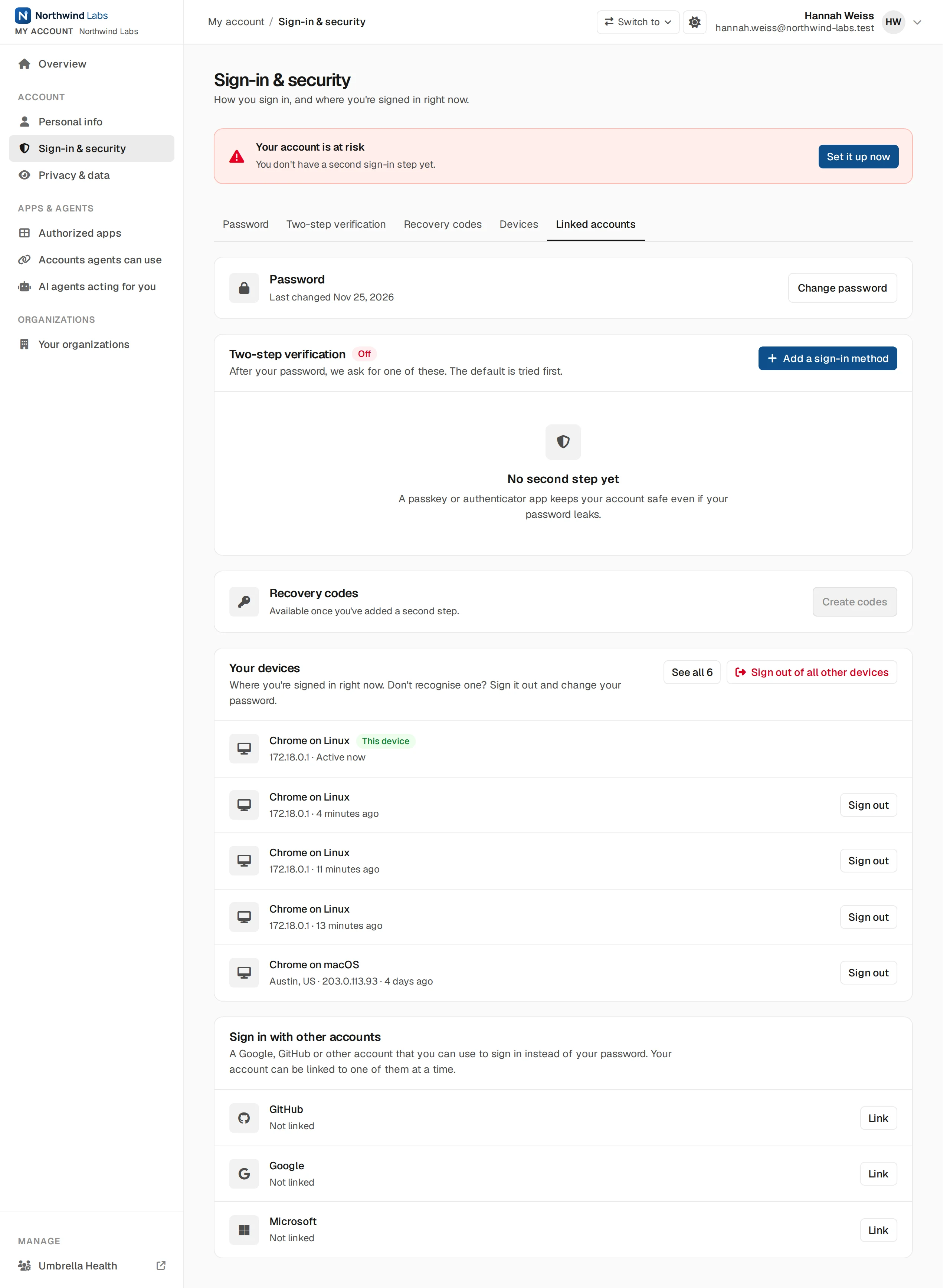
- "Add a sign-in method" offers the methods that your organization allows.
- After the first method, the person saves ten recovery codes.
- The same page lists the signed-in devices and the trusted browsers, with sign-out for each.
What you can change
| Setting | What it changes | Docs |
|---|---|---|
| MFA policy | Which methods are allowed, and who must have a second step. | Multi-factor authentication |
| Adaptive rules | Ask for the second step only when a sign-in looks risky: a new device, a new place, a network outside your trusted ranges. | Adaptive MFA |
| Trusted devices | Whether "Trust this device" appears, and for how many days it lasts. | Trusted devices |
| Passkeys | Which authenticators you accept. | Passkeys |
| The name of the phone app | With the "Secured by LumoAuth" badge off, the push step says "your sign-in app". | Badge |
When a person sees it
- After the first sign-in step, when the policy or a risk rule asks for a second one.
- When an application asks for a stronger or a more recent sign-in before a sensitive action. The recipe MFA and step-up for one action shows that request.
- The setup pages: from the account pages, and right after sign-in when the policy requires a method that the person does not have yet.
Limits
- A recovery code does not satisfy a sign-in policy by itself. Using one starts account recovery.
- A person can receive 3 push requests in 5 minutes. After that, the page asks for another method.