Device activation page
The page on which a person types the code that a TV, a command-line tool or an agent showed them.
Hosted pageReady
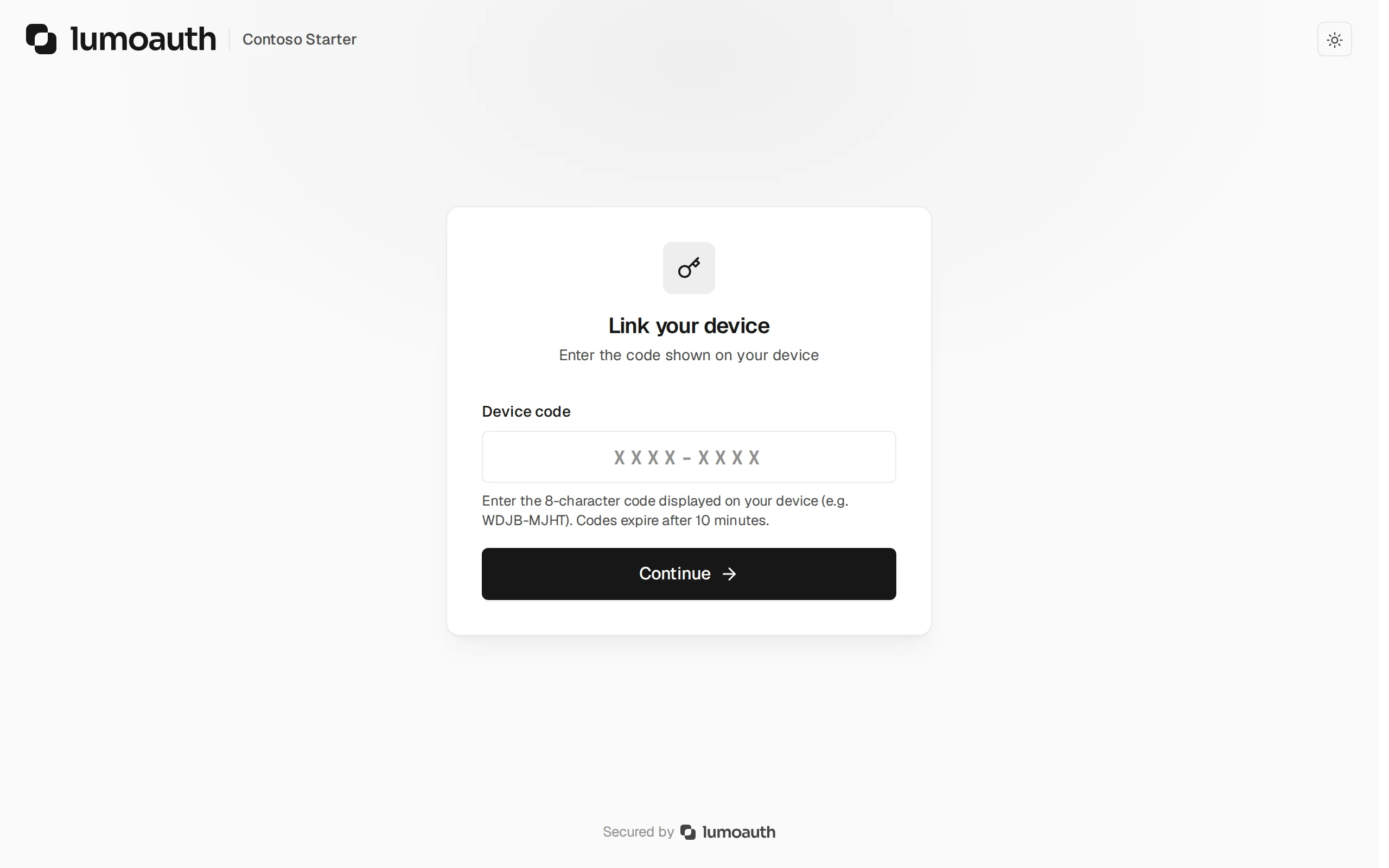
What the page does
- It asks for the code of the device: eight characters, for example
WDJB-MJHT. - The person signs in, when they have no session yet.
- It shows what the device asks for, and the person approves or denies.
- It confirms that the device is connected. The device, which has been polling, receives its tokens.
What you can change
| Setting | What it changes | Docs |
|---|---|---|
| Branding of the consent page | The pages of the device flow follow the same switch as the consent page: background, colours, logo and footer of your sign-in page. | Other pages |
| The device grant of an application | Whether an application may use this flow at all. | Device authorization |
When a person sees it
The device asks LumoAuth for a code and shows two things: the code, and the address of this page, /orgs/{orgId}/api/v1/oauth/device. The person opens the address on a phone or a computer.
The answer to the device also holds verification_uri_complete, the same address with the code in it. Show that one as a QR code, and the person does not have to type.
A code is valid for 10 minutes.
Build the other side
- The pattern Device code is the screen of the device.
- The recipe Sign in from a CLI or a TV has the requests.