Hosted sign-up page
The page on which a person asks for an account. It takes an email address first, and creates the account after the person opened the link in their inbox.
Hosted pageReady
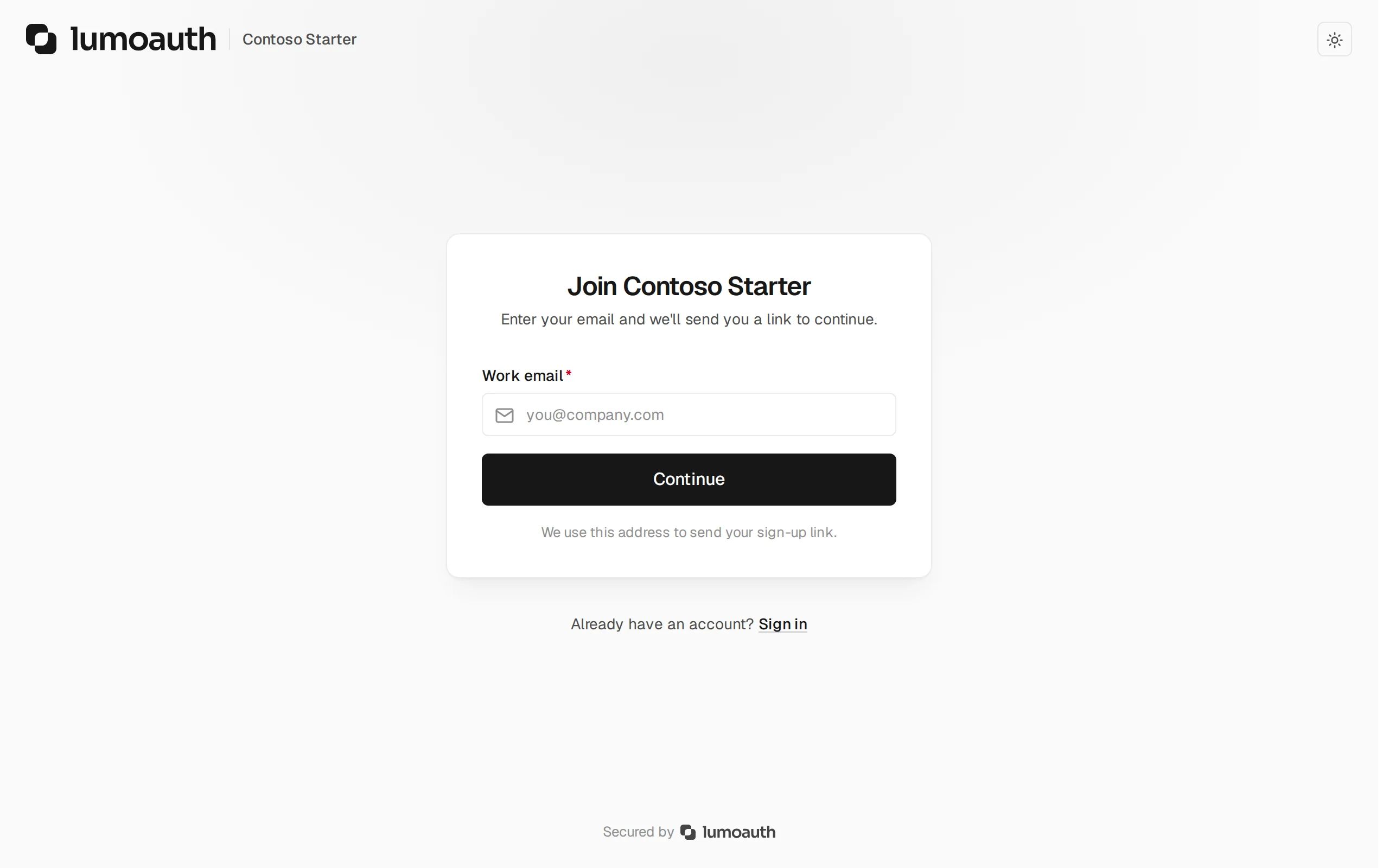
What the page does
- It asks only for an email address. Nothing is created yet.
- It sends a link. The link proves that the person owns the address, and opens the form that creates the account: the name and a password.
- It gives the same answer for every address. A person who already has an account receives a notice by email in place of a link, so the page does not reveal who has an account.
- It checks the password against your password policy and against known breaches.
- The invitation page is its sibling. An invited person opens the link of the invitation, sets a name and a password, and joins with the role of the invitation.
What you can change
| Setting | What it changes | Docs |
|---|---|---|
| Self-registration | Whether people may sign up by themselves. When it is off, the page offers only the social providers that may create accounts. | Self-registration |
| Branding of the registration page | Whether the sign-up page uses the layout, background, colours and footer of your sign-in page. On by default. | Other pages |
| Legal links and consents | The terms and the privacy policy that the form names, and the consents that it asks for. | Legal links |
| The sign-up link for one application | An application can hide the link to this page on its sign-in page. | One login page |
| The message | The email that carries the link. | Email messages |
When a person sees it
- From "Create one" on the sign-in page.
- When an application starts the authorization flow with
prompt=create. - The invitation page: from the link in an invitation email.
Limits
- One address can receive 3 sign-up emails in an hour for each organization.
- A CAPTCHA appears on the page when your organization turned one on.