Consent screen
The page on which a person allows an application to use their account. It names the application and lists, in plain words, what the application will be able to do.
Hosted pageReady
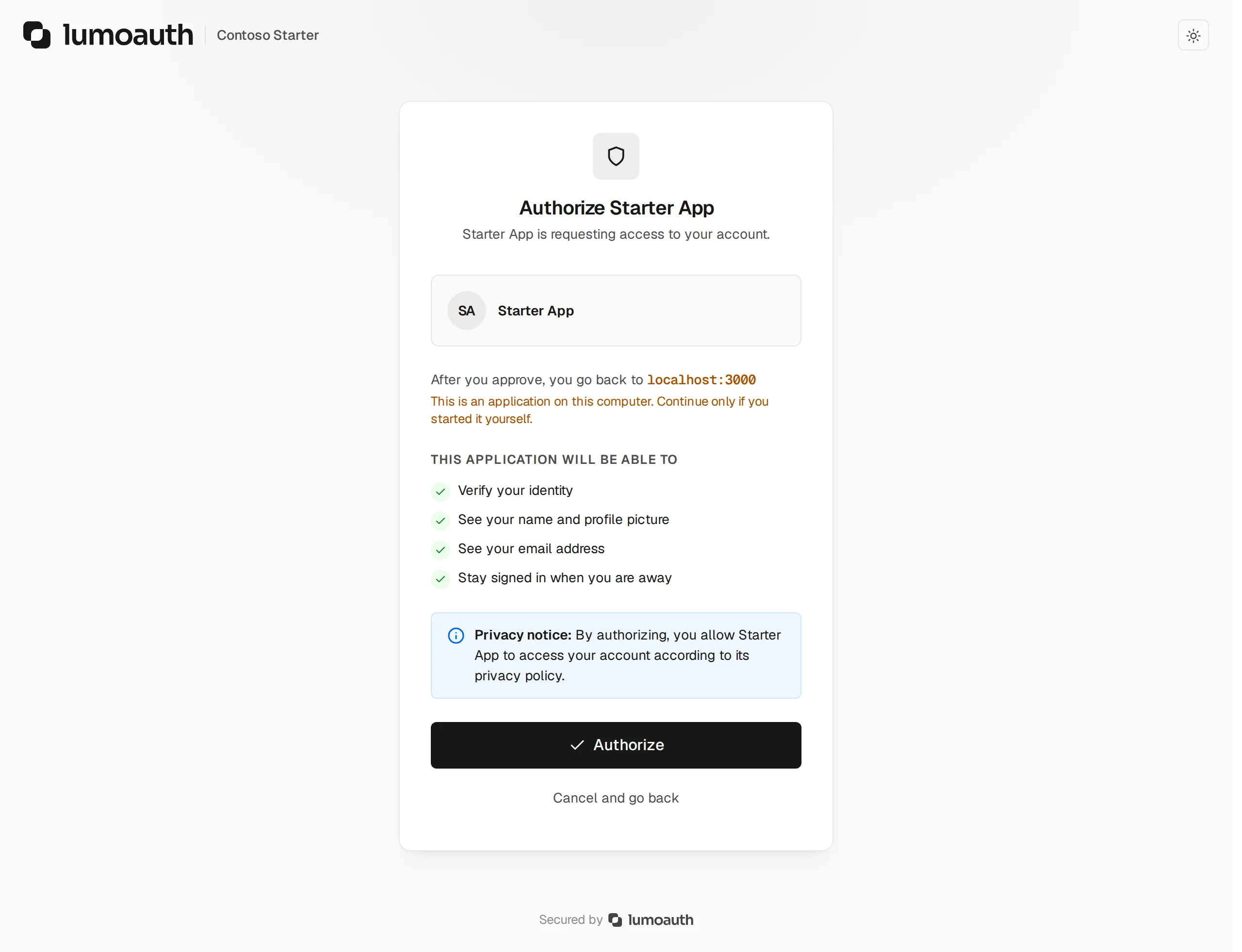
What the page does
- It names the application that asks, and the address that the person returns to after they approve.
- It lists each scope as a sentence. "See your email address", not
email. A custom scope shows your description, with its name next to it. - It warns about clients that it cannot vouch for. An application on the person's own computer gets the line "Continue only if you started it yourself". A client that identifies itself with a URL is marked "External client", with the domain that was checked.
- It links to the privacy policy and the terms of the application, under a privacy notice.
- It has two answers: "Authorize", and "Cancel and go back".
For a personal agent, the page changes its wording: the agent "wants to connect to your account", and the person chooses among the scopes.
What you can change
| Setting | What it changes | Docs |
|---|---|---|
| Branding of the consent page | Whether the page uses the background, colours, logo and footer of your sign-in page. On by default. | Other pages |
| A consent page for one application | Its title, description, logo, background colour, button colour and custom CSS, and whether your organization's name stands on the page. | Per-application consent page |
| Scope descriptions | The sentence that the page shows for each custom scope. | Scopes |
| Privacy policy and terms of the application | The two links under the privacy notice. | Per-application consent page |
| Trust in clients that identify themselves with a URL | Which of them may ask at all. | Client ID metadata documents |
When a person sees it
In the authorization flow, after sign-in, when the application asks for access that the person has not allowed yet. An application can ask for the page again with prompt=consent.
A person sees what they allowed, and takes it back, under "Authorized apps" on their account pages.